Why I built a tool for one time secret exchange Link to heading
It has happened to me many times that I received sensitive information by email or through chat tools such as Microsoft Teams (please don’t judge me. It’s a crazy time…). Passwords, API keys, access credentials for systems. Each time it felt uncomfortable, yet I fully understood why it happened:
The alternatives were simply too complicated. Many secure solutions required additional accounts, complex setup, or were cumbersome to use. In everyday work people tend to choose the fastest option, even when it is not the safest one. Convenience almost always wins over good intentions.
That is exactly where I wanted to start. My goal was to create a tool that provides the necessary level of security while remaining simple enough that the barrier to using it stays very low. Security should not depend on someone being willing to fight through a complicated process. If a solution is quick and effortless, people will actually use it and it can become part of everyday practice.
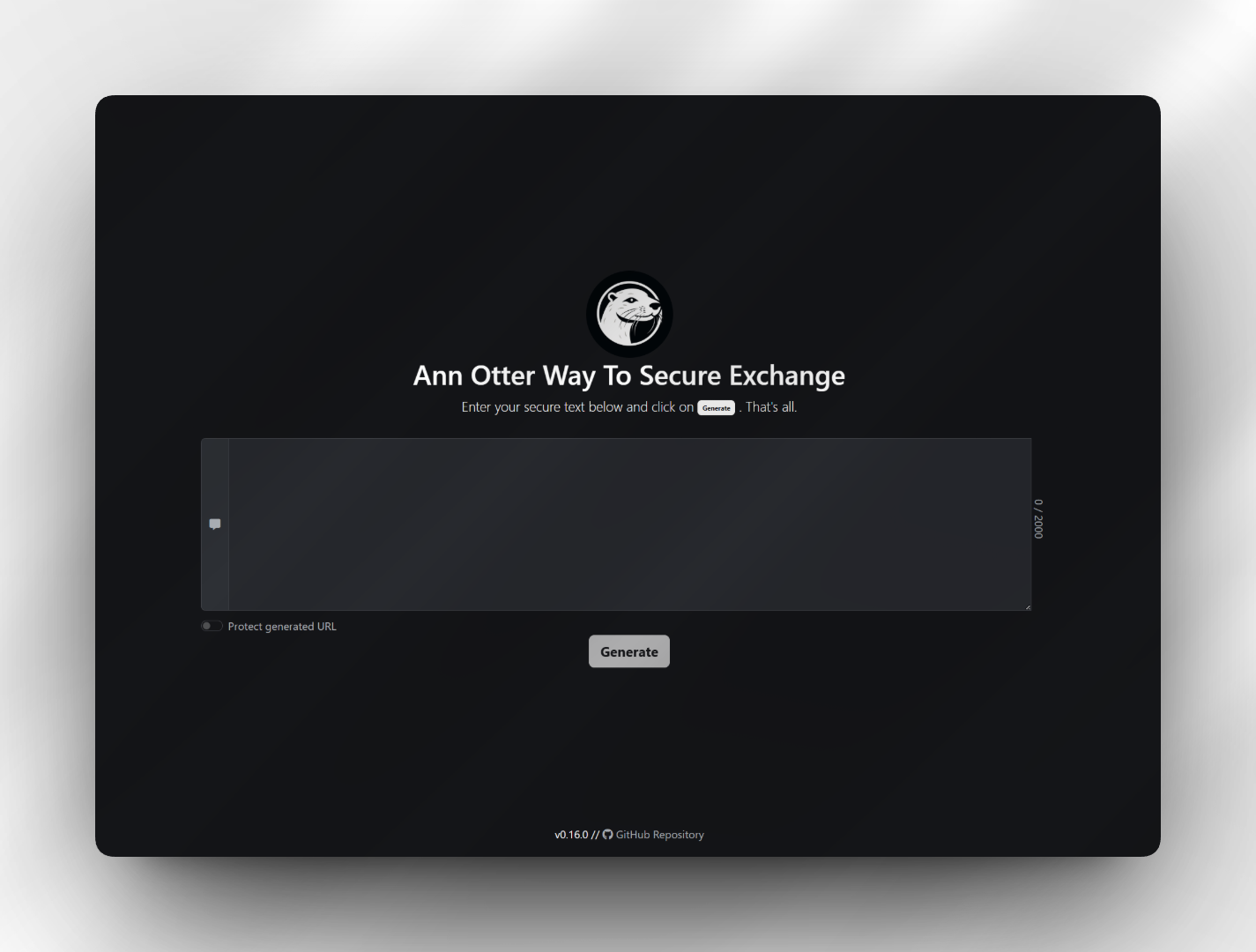
This idea eventually became my small open source project Ann Otter Way To Secure Exchange, which I published on GitHub.1
Security through simplicity Link to heading
The most important design principle was that the server should never see the secret in plain text. Encryption therefore happens directly in the browser before anything is transmitted. The server only stores encrypted data and effectively acts as a temporary storage location.
The system also follows a strict one time retrieval model. A generated link works exactly once. As soon as the secret is retrieved, it is deleted and cannot be accessed again. This mirrors the real world need in many situations where information should arrive safely and then disappear without leaving traces behind.
For those who would like to try it, a demo instance is available here: Demo
(It’s hosted on a free tier. Cold starts may take a few seconds while the instance pulls the image and boots up)
Designed for real workflows Link to heading
Over time it became clear that secure transmission is not only a manual task. In DevOps environments or HR processes secrets are often generated automatically when provisioning systems or creating new accounts.
For that reason the project also includes a simple Python based CLI. It allows secrets to be generated and exchanged directly from scripts or workflows. Manual steps can be removed and the tool can be integrated into automation pipelines or provisioning processes.
This turns a small web application into something that can fit naturally into CI/CD environments and operational workflows.
Conscious minimalism in the technology stack Link to heading
I deliberately avoided unnecessary complexity in the implementation. The frontend is mostly written in plain EcmaScript with only a very light touch of Bootstrap for basic aesthetics, both CSS and a small amount of JavaScript. The intention was to keep the interface clean and understandable without introducing heavy dependencies.
The backend is a small .NET application with a very narrow responsibility. It accepts encrypted data, stores it temporarily (and encrypts it twice), allows a single retrieval, and deletes it afterwards. Keeping the server logic minimal reduces both complexity and potential attack surface.
Special attention was also given to containerization. The Docker images are extremely slim and contain only what is absolutely necessary (currently noble-chiseled images2). They do not even include a shell environment. This significantly reduces what an attacker could do in the unlikely event of a compromise because there are simply fewer tools available inside the container.
Equally important to me was what the project does not include: There are no analytics trackers, no telemetry, and no hidden monetization ideas. The tool exists solely to enable the secure exchange of sensitive information, nothing more.
A small tool with practical impact Link to heading
Looking back, the project became an exercise in balancing security with usability.
People will always choose the most convenient path, so the secure path must also be the easiest one.
If this tool helps reduce the number of passwords and keys sent through email or stored in chat histories, then it has already achieved its purpose.
For those planning to use the tool in a more formal or professional environment, the visual appearance can be fully customized. Texts, logos, and even the pirate themed language can be overridden to align with corporate design requirements or internal policies. This allows the tool to be used in more serious contexts where the playful defaults might not be appropriate (a decision I will respectfully disagree with 😉).
Side note: I started the project three years ago (October 12, 2023). However, the blog has only existed since this year, so I’m happy to finally catch up with a proper article and expand on it ↩︎
cf. Ubuntu Chiseled + .NET, https://github.com/dotnet/dotnet-docker/blob/main/documentation/ubuntu-chiseled.md, accessed 2026-02-13 ↩︎