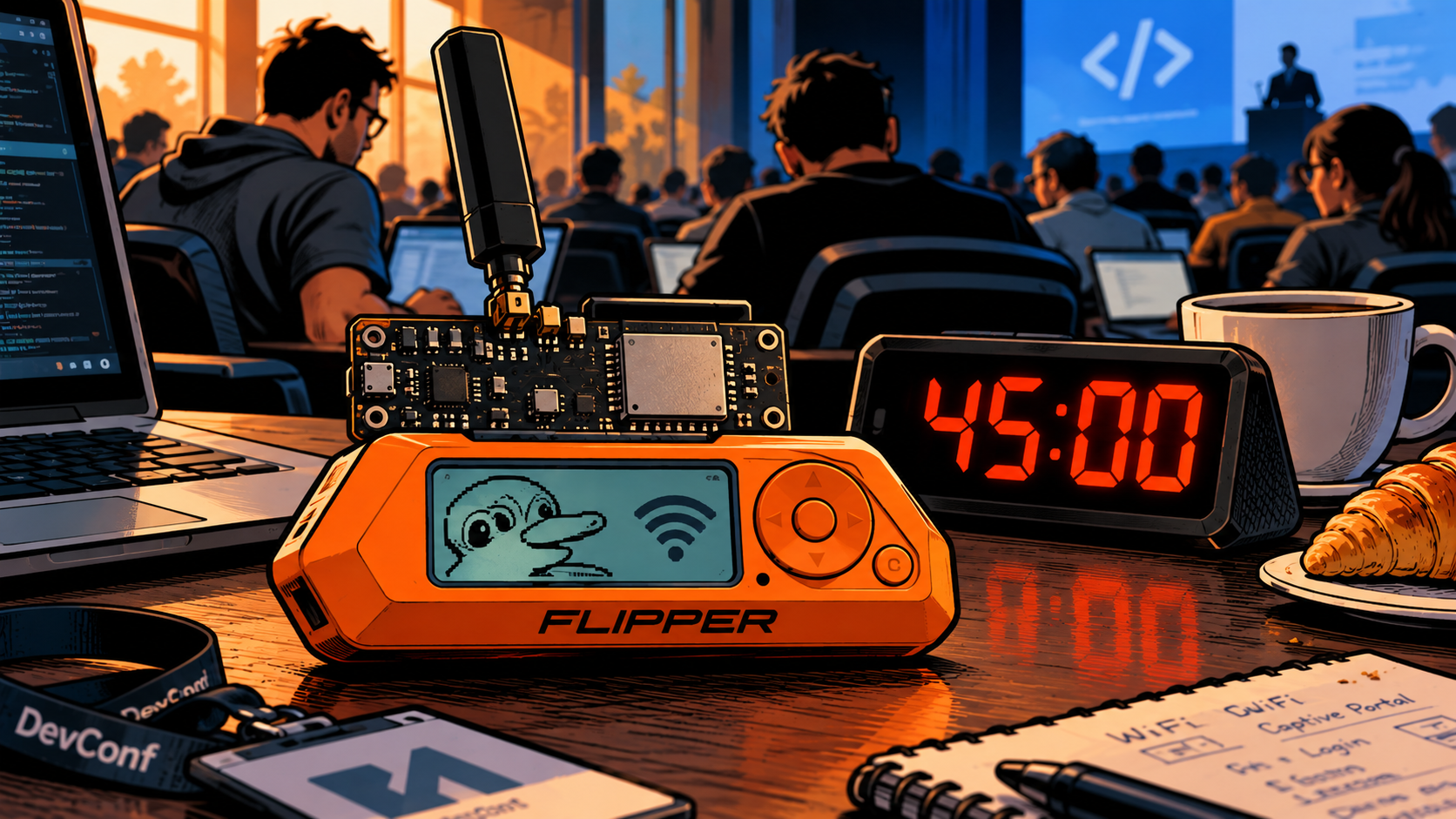
I recently spoke at a developer conference about how cybersecurity is changing. My core message was uncomfortable, and I tried to make it as concrete as possible: in the age of AI, an attacker needs surprisingly little knowledge. Not to discover systems, not to find weaknesses, and not to chain them into something nasty.
What the audience didn’t know: the real talk had started hours earlier. And a few of them were already part of it.
The live part Link to heading
On stage, I showed how I usually work when I look for vulnerabilities in an application. I let an AI do the heavy lifting: map the target, read the code, suggest suspicious paths, propose attack ideas. What was left for me? Two things.
- Verification. Is this finding real, or is the model confidently making things up? Does it actually work?
- The next idea. Where does this lead? What can I chain it with? Which assumption of the developers can I break next?
That’s it. The rest of the work, the tedious and time-consuming part that used to separate a script kiddie from a professional, is largely gone. I’ve written about the economics before,1 but seeing it happen live in front of a room of developers is different. You could feel people doing the maths in their heads.
What happened at breakfast Link to heading
Early in the morning, before the first session, I opened the Flipper Zero in my bag and switched on a Wi-Fi access point. I named it:
<Venue>-Guests-Highspeed
I chose that name deliberately. Not «Free WiFi», not «Hacker-Test», but something that sounds like the venue itself offers it, mentions speed (conference Wi-Fi is always slow, so who wouldn’t want «Highspeed») and doesn’t raise a single question. Suspicion is the thing you have to avoid. Interest is the thing you have to create.
Whoever connected landed on a captive portal asking for a username and password. The page imitated a service that nearly everybody in the room has an account for. That was the second deliberate decision: the more familiar the login, the less likely anyone feels they’re signing up for something new, and the less time they spend wondering why a guest network wants credentials at all. They’ve typed this password a thousand times. Their fingers know the way.
And yes, several people entered their credentials. But the exercise was never about the individuals who logged in, and no individual result mattered. For the lesson to work, the experience only had to feel real. The portal was therefore modified so that the actual credentials were never transmitted: before submission, the password was replaced in the client’s browser with the fixed value [redacted], so the real password never left the browser. No data was persisted, and the access point’s event log was shown only on the device’s display. Directly after my talk, I shut the portal down.
45 minutes Link to heading
The whole thing took me about 45 minutes, including the portal design. No exploit, no zero-day, no clever trick. Just a small device, an AI assistant, and a rough idea of what makes people click.
The most interesting challenge wasn’t technical sophistication, it was a limit. The Evil Portal on the Flipper Zero (it runs on the Wi-Fi dev board) can only handle login pages of roughly 20,000 characters, and everything has to live in one single HTML file. No external stylesheets, no separate image files, no web fonts.
So the question became: how do you build something that looks professional inside a size budget smaller than many logos?
- Images were Base64-encoded and inlined, and optimised until they fit
- Fonts weren’t shipped at all. Instead I used font stacks that fall back to something visually close on any device
- Every unnecessary line of CSS had to go
An AI model is remarkably good at this kind of constraint game. «Make it look like X, keep it under 20,000 characters» is an instruction it follows tirelessly, iterating until it fits. A few years ago this would have been an evening for someone with solid front-end skills. Now it’s a lunch break for someone with none.
That’s what I meant by the title of my talk, and that’s what the portal demonstrated better than any slide could. I didn’t have to explain that the barrier has dropped. People had just walked through it.
What I’d take from this Link to heading
1. Build as if the attacker is fast and patient. If someone with no expertise can discover and chain weaknesses with an AI assistant, then «nobody will find that» is no longer a security control. Obscurity used to be backed by effort. The effort is gone. Developers should assume that every weak assumption, every forgotten endpoint and every «internal only» interface will be found.
2. Don’t trust what looks right. A name that sounds official, a page with the right logo, an email in perfect corporate language: all of that is now cheap. It used to be a sign of effort and professionalism. Today it’s a sign of nothing. A convincing replica takes minutes, and it’ll look better than the original.
3. Controls beat vigilance. I can tell people to be careful, and I did. It still happened. This is exactly why I prefer controls that don’t rely on people noticing. A password manager that doesn’t autofill on the wrong domain is more reliable than a human checking a URL. Phishing-resistant authentication such as passkeys or FIDO2 keys means that a captured password isn’t enough.
The flip side: fakes are cheap, for everyone Link to heading
I want to end on something positive, because this isn’t only a scary story. The same effect that makes attackers faster also helps defenders. It has never been this easy to build good simulations, tests and decoys in a short amount of time, at high quality.
A phishing simulation that matches your company’s actual login page. A realistic honeypot service. A training scenario for the dev team, built in an afternoon instead of a quarter. This is the kind of work a standing Purple Team does best,2 and AI makes it affordable for organisations that could never justify it before.
The fake network at the conference was an awareness exercise, and I think it worked better than anything I could have said on stage. A lecture about phishing is quickly forgotten. Reading about it in your own login attempt is not.
Conclusion Link to heading
The portal took 45 minutes. The point is that it didn’t need more. Knowledge used to be the barrier between «wants to» and «can». It’s now mostly a question of asking the right question and checking the answer.
So build your systems as if the person on the other side is fast, patient and has an AI sitting next to them. And remember that in a network, as on a conference floor, not everything is what it says on its name tag.

See Purple. The third color your organisation needs right now and Are we unlearning how to understand? for how AI changes the economics of vulnerability discovery. ↩︎
See Purple. The third color your organisation needs right now. ↩︎